
Customer opens the app
The Android TV app displays a six-digit code for the support request.
Help customers navigate their Android TV with a clear six-digit connection flow, customer approval, and plan-based session controls.
The Android TV app’s Google Play release is being prepared. There is no public app download yet.
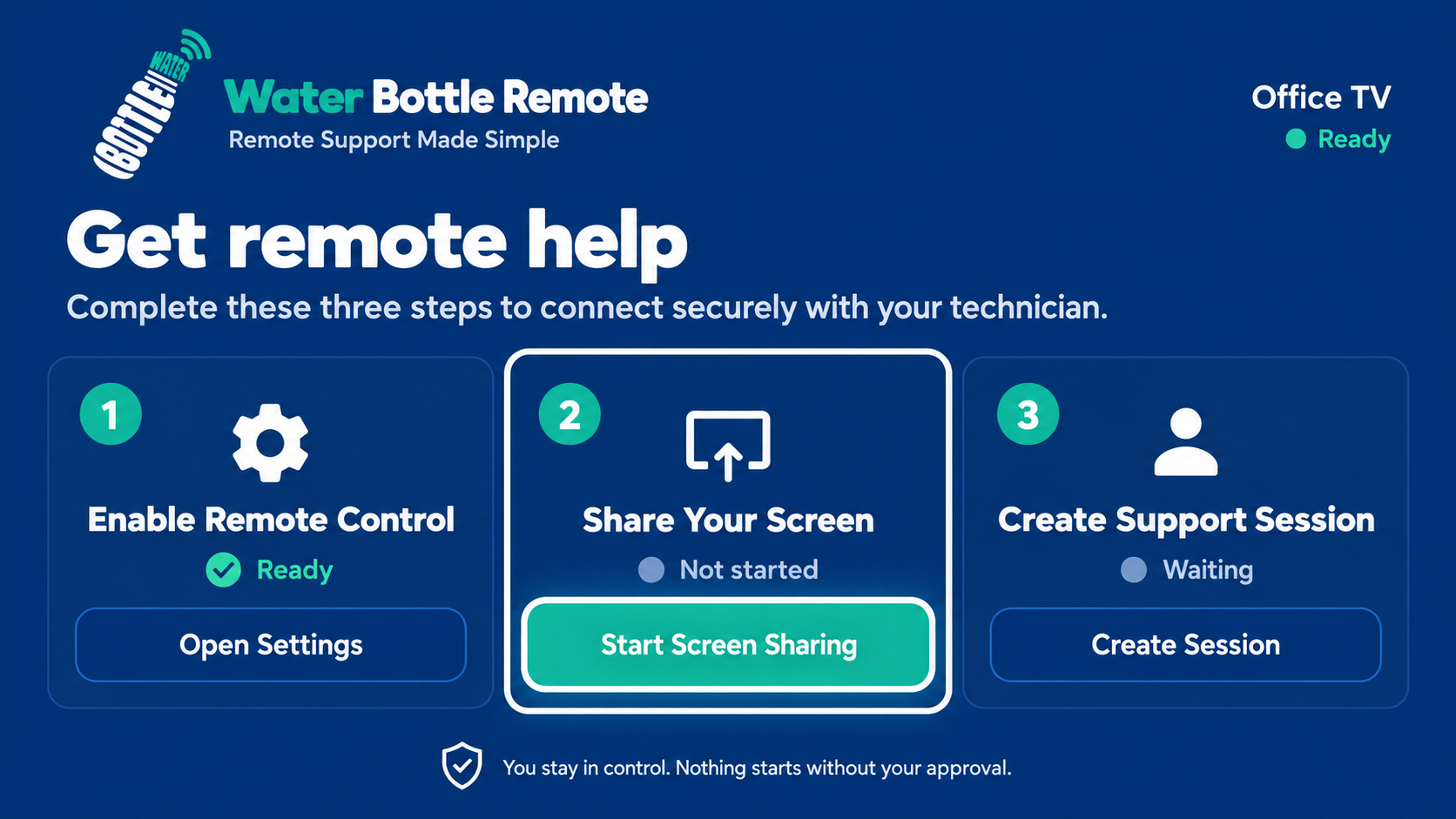
How it works
The customer stays involved throughout the connection process, and the technician works from a dedicated web portal.
The Android TV app displays a six-digit code for the support request.
The signed-in technician submits that code through the secure technician portal.
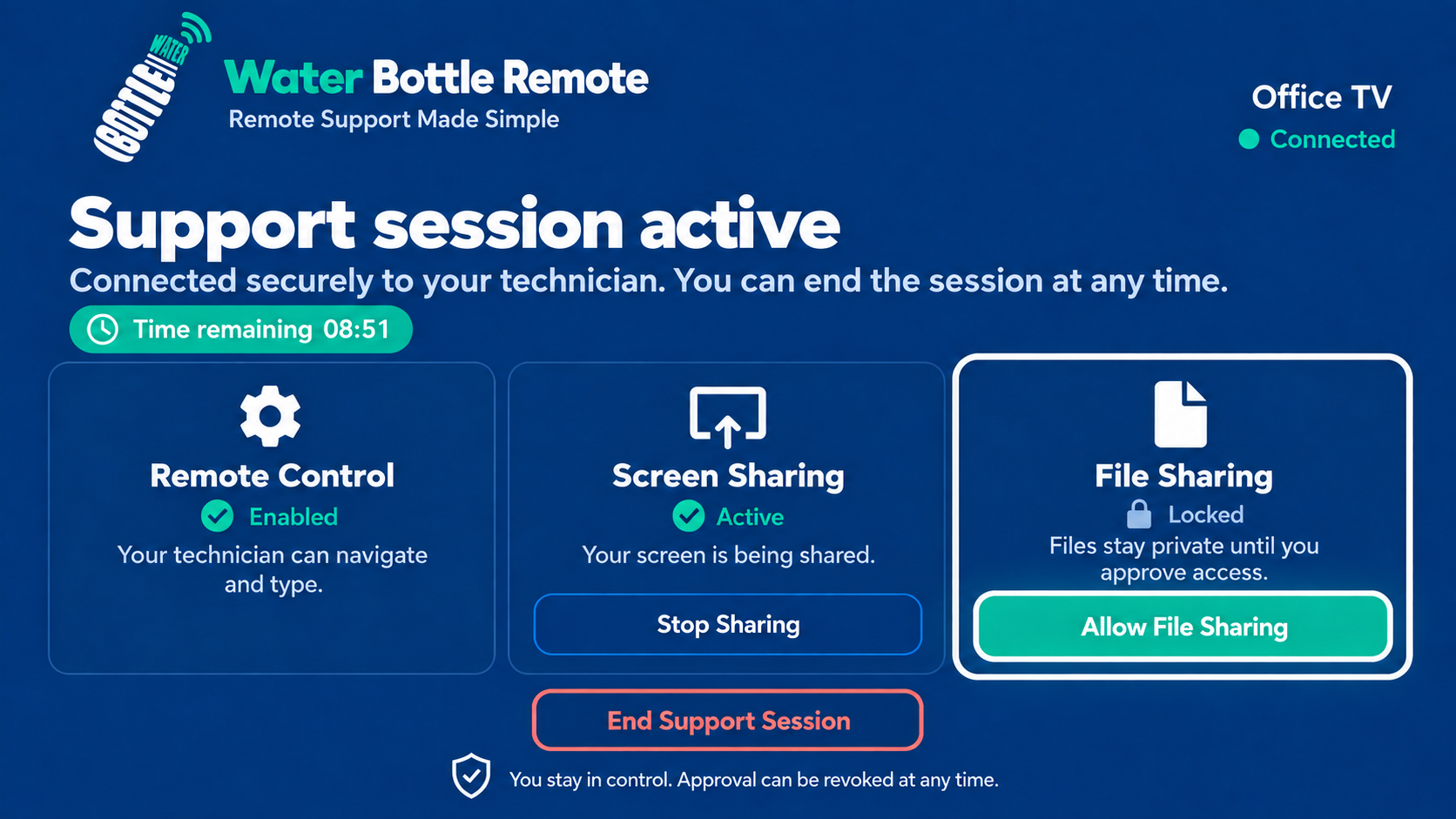
The connection begins only after the customer accepts the matching request on their TV.
The app experience
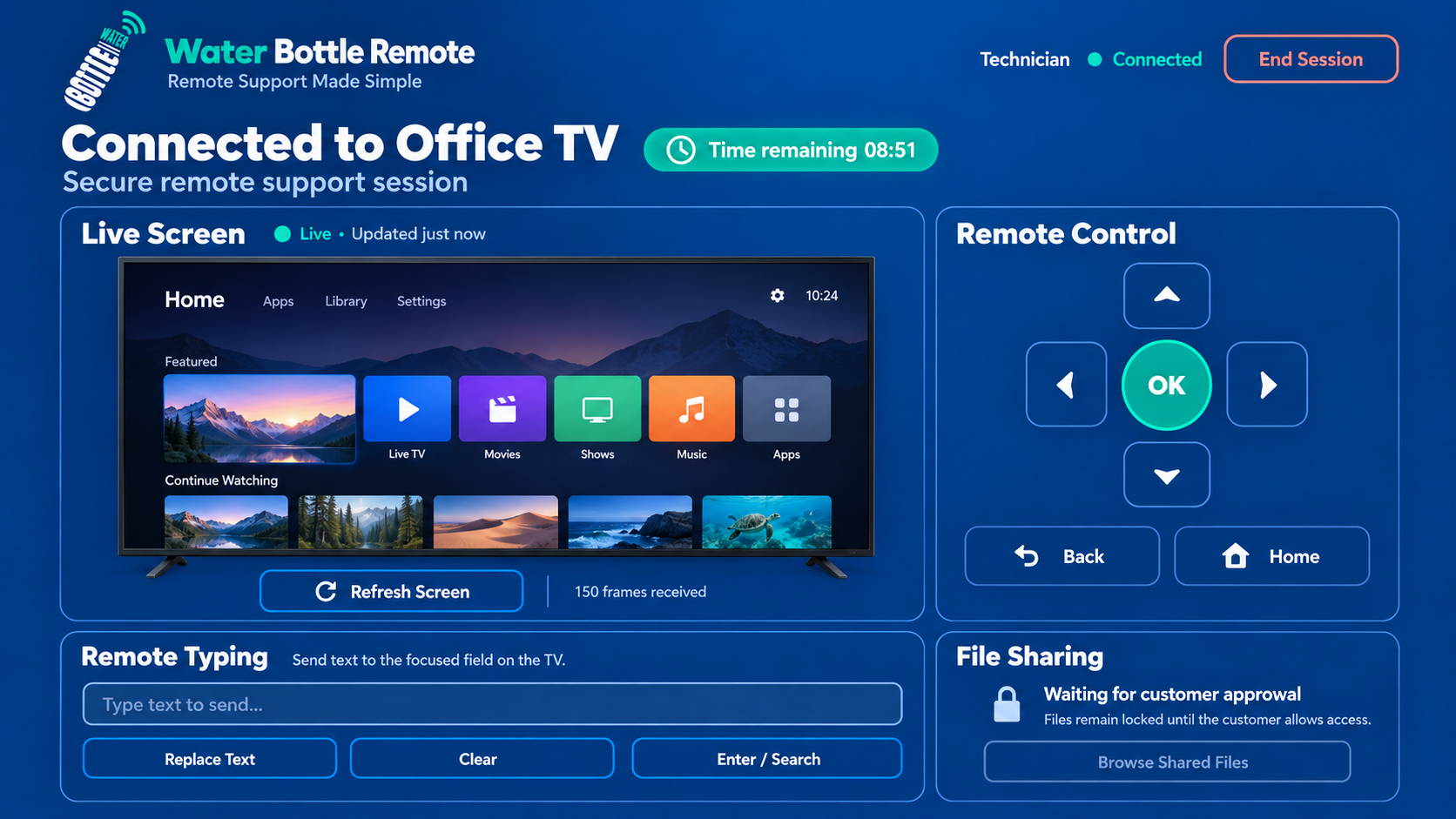
Illustrative views of the customer app and technician portal. Screens may vary by device and app version.
Built for guided support
Water Bottle Remote keeps the support experience focused, understandable, and controlled by both sides.
See the customer’s current Android TV screen during an approved session.
Use familiar directional, select, back, and home controls while assisting.
Send text where supported so customers do not have to type long entries with a remote.
Share approved files during the session within plan limits, with session cleanup afterward.
Simple plans
Basic and Pro are recurring subscriptions billed in USD through Stripe. Confirm Android TV app access before subscribing.
$0
For trying the core support flow.
$5 / month
More time for routine remote help.
$10 / month
Longer sessions and larger transfers.
We are preparing the Android TV app for Google Play. Public installation details will be announced here after release. Contact us for current app access information.
Common questions
No. Each support session requires the customer’s matching-code approval on the TV.
The session follows the active plan’s server-controlled time limit and ends when that allowance is reached.
No. The transfer system is designed for temporary session sharing and cleanup after the session.
Sign in to the technician portal to manage your plan and start an approved support session.